
AutoPartsChecker: https://autopartschecker.com/bulletins/08-053-16/
Chrysler, Dodge, Jeep and others service bulletin 08-053-16: Radio Software Problems
This bulletin addresses radio software problems and enhancements, including audio, navigation, voice-control and display issues.
Technical service bulletin 08-053-16 applies to the Chrysler 300, Dodge Challenger, Dodge Charger and 9 more. It was filed with NHTSA 2 times, for different vehicles or with different text: all are below.
A service bulletin (TSB) tells dealers how to diagnose and fix a known issue. Unlike a recall, the repair is usually only free under warranty or a warranty extension. If your vehicle has the symptom, mention bulletin 08-053-16 to your dealer or mechanic.
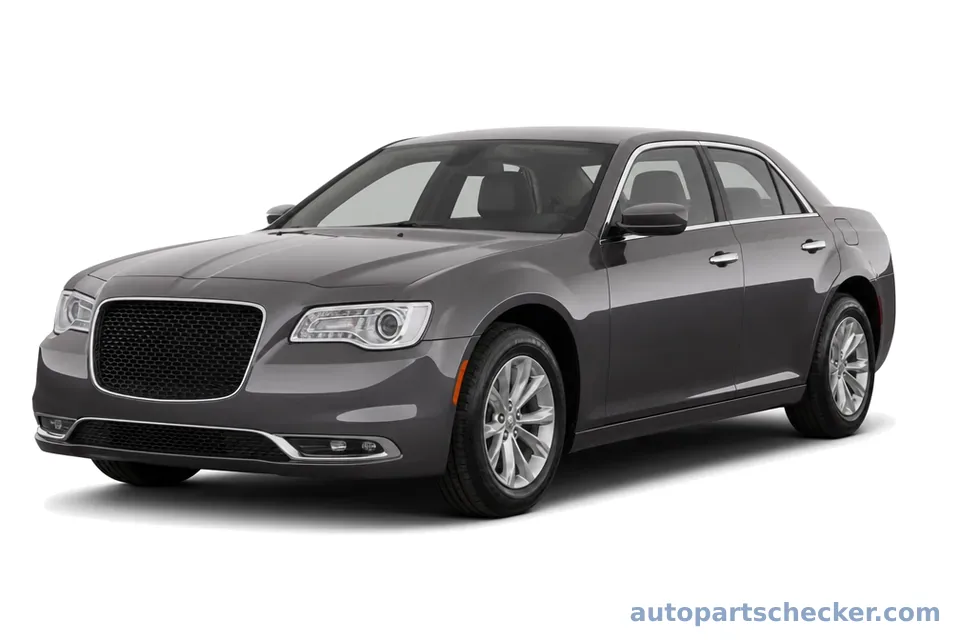
Service bulletin 08-053-16: Electrical system, Equipment and accessories
Issued Apr 2016. NHTSA ID 10076510, 10076289
SUBJECT: Flash: RA3/RA4 Radio Software Enhancements OVERVIEW: This bulletin involves inspecting and, if required, updating the radio software. SYMPTOM/CONDITION: A small number of customers may experience one or more of the following: **Poor or no connection to cellular network (U.S. market only). HVAC temperature out of sync with radio display (KL vehicles).** Intermittently blind spot chime will not turn off (KL vehicles only). Enable High Definition (HD) feature (RA4 radios located in Canada and Mexico). Low battery condition due to the radio remaining powered up after the ignition has been turned off (U.S Markets Only). The Radio may switch from SiriusXM to an AM station by itself. Uconnect registration always present, can not remove Uconnect account. Teleprompter does not appear when pressing the Voice Recognition (VR) button. VR operation cancels while in media mode. Radio may display previous image before displaying the current image. Navigation lost vehicle position during route calculation. Navigation displays are missing after vehicle heading changes. Navigation giving incorrect guidance to exit the highway. FM audio may switch to AM after ignition cycle. Text messages appear as sender s phone number not their name. VR phone button may not work at times. Audio muted after AUX device is disconnected. VR, Listen to text will only play first message. Drive Mode: Eco, sport or normal setting may not be saved after key cycle (LA, LD, LX and ZD Only). Drive Mode: Shift light On/Off, out of sync (LA, LD, LX and ZD Only). SirusXM station information does not update. Speed adjusted volume, may not work. AM or FM seek or tuner soft keys may be missing. · Display screen show ambient temperature as - - not normal values.
In plain English (our summary)
This bulletin addresses radio software problems and enhancements, including audio, navigation, voice-control and display issues.
- What you may notice: You may notice radio or navigation problems, voice controls that do not work properly, incorrect display information, a blind spot chime that will not stop, or a low battery because the radio stays on after the ignition is turned off.
- What is done about it: The dealer inspects the radio software and updates it if needed.
Our plain-English summary of the official text above. The official text is the record.
Applies to
Service bulletin 08-053-16: Electrical system, Equipment and accessories, Parking brake, Airbags, Lane departure assist, Windows, mirrors and visibility
Issued Apr 2016. NHTSA ID 10138977, 10219793
Flash: RA3/RA4 Radio Software Enhancements This bulletin involves inspecting and, if required, updating the radio software. A small number of customers may experience one or more of the following: · Poor or no connection to cellular network (U.S. market only). · HVAC temperature out of sync with radio display (KL vehicles).** · Intermittently blind spot chime will not turn off (KL vehicles only). · Enable High Definition (HD) feature (RA4 radios located in Canada and Mexico). Low battery condition due to the radio remaining powered up after the ignition has been turned off (U.S Markets Only). The Radio may switch from SiriusXM to an AM station by itself. · Uconnect registration always present, can not remove Uconnect account. · Teleprompter does not appear when pressing the Voice Recognition (VR) button. VR operation cancels while in media mode. · Radio may display previous image before displaying the current image. · Navigation lost vehicle position during route calculation. Navigation displays are missing after vehicle heading changes. Navigation giving incorrect guidance to exit the highway. · FM audio may switch to AM after ignition cycle. · Text messages appear as sender's phone number not their name. VR phone button may not work at times. · Audio muted after AUX device is disconnected. · VR, Listen, to text will only play first message. · Drive Mode: Eco, sport or normal setting may not be saved after key cycle (LA, LD, LX and ZD Only). · Drive Mode: Shift light On/Off, out of sync (LA, LD, LX and ZD Only). · SirusXM station information does not update. · Speed adjusted volume, may not work. AM or FM seek or tuner soft keys may be missing. · Display screen show ambient temperature as ?- - ? not normal values. Improvements: · **User can pair iPhone with Uconnect via Bluetooth and talk to Siri through Uconnect. · Ability to press VR button for more than one second.** · Faster response time when using the…
Applies to
Source: manufacturer communications filed with NHTSA. Summaries as published by NHTSA. To see the full bulletin, ask a dealer or your mechanic for bulletin 08-053-16.
Updated: Recalls and bulletins updated daily. Complaints through October 29, 2026. Find your vehicle to request alerts